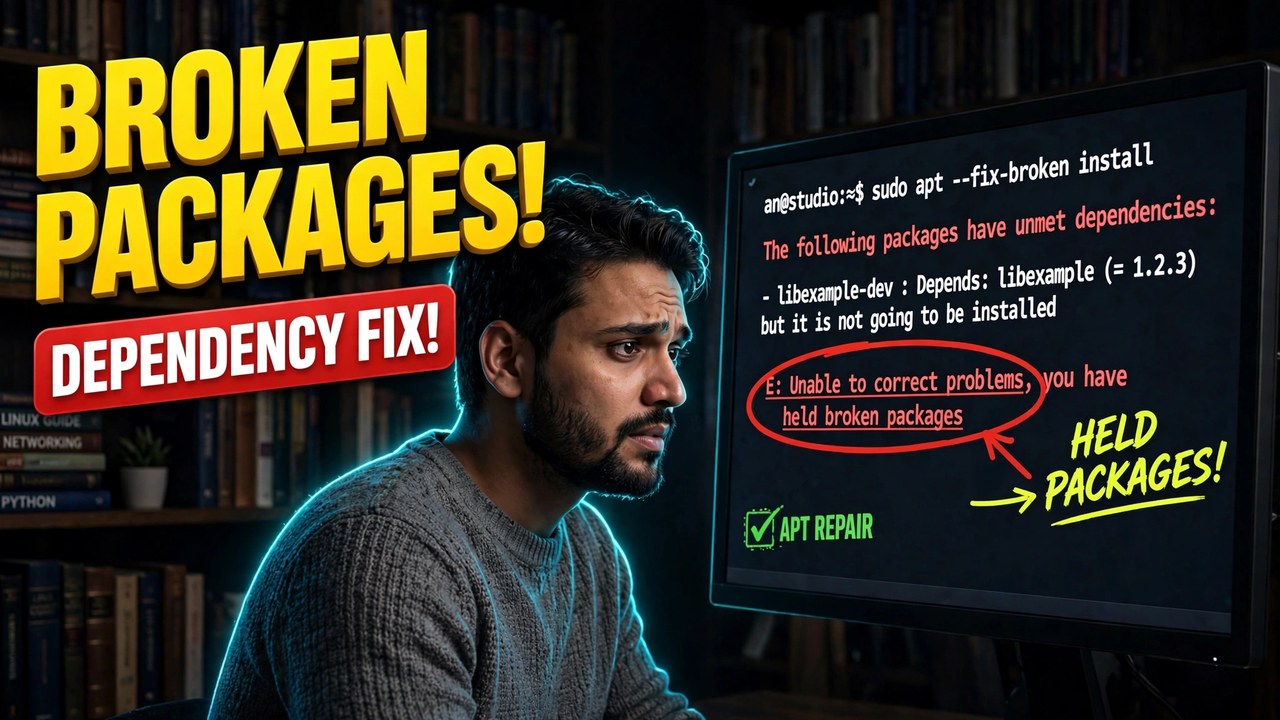
This is an apt problem on the Ubuntu/Debian family. Two different faults hide inside the one message: unmet dependencies (a package needs a version that is not there) and held packages (a package frozen at a version apt is not allowed to change). The usual trigger is adding a PPA, mixing packages from another release, or an interrupted install. The repair has a correct order - automatic repair first, holds second, the named conflict third, the PPA last - because each step gives you the information the next one needs.
X The install stops before downloading, with an unmet dependencies block above the error
X Other installs and updates now fail behind the same broken state
Check: the fault usually started right after adding a PPA, a manual .deb install, or an interrupted upgrade
DEPENDENCY CONFLICT apt is protecting the system - read the named packages, they are the diagnosis.
The fingerprint of this problem: apt names the exact dependency it cannot satisfy, then refuses the whole transaction.
Run the Standard Repair Sequence in Order ⭐
Start with the three commands apt and dpkg provide for exactly this situation, in this order. Together they refresh the lists, finish any half-configured packages, and ask apt to fix broken dependencies automatically.
- Refresh the package lists:
sudo apt update - Finish anything half-configured:
sudo dpkg --configure -a- let it run to completion without closing the terminal. - Ask apt to repair dependencies:
sudo apt --fix-broken install- read the plan it shows before confirming. It may install missing dependencies or, where there is no other way, remove the broken package. - Retry your original install. A large share of held-broken cases end right here.
Check for Held Packages and Release the Right One
A held package is frozen at its current version on purpose - sometimes by you, sometimes by a tool. While it is held, apt cannot upgrade it to satisfy a new dependency, and it reports the whole transaction as broken instead of naming the hold clearly.
- List every held package:
apt-mark showhold - If the list is empty, holds are not your problem - go to Fix 3.
- If the package blocking your install is in the list, release it:
sudo apt-mark unhold package- use the real package name from the list. - Run
sudo apt updateand thensudo apt --fix-broken installagain, and retry the install. - Do not release a hold blindly if you placed it yourself for a reason, for example holding a kernel or a driver version. In that case the correct fix is in Fix 3: resolve the conflict without that upgrade.
Read the Exact Conflict and Act on the Named Package
When the automatic repair cannot solve it, apt prints the real conflict in its output - usually a Depends line naming an exact version, or two packages that cannot co-exist. That printed name, not a guess, decides the next command.
- Re-run the failing install and read the full unmet dependencies block carefully. Note every package and version it names.
- If it needs a specific dependency version that your repositories provide, install that named dependency directly with
sudo apt install dependency-name, then retry. - If the conflict is with a package that came from a PPA or a manually downloaded file and you do not need it, remove it with
sudo apt remove package-name, then runsudo apt --fix-broken installagain. - Never force past this with manual file deletion inside system folders. apt must stay in charge of what is installed, or the dependency database gets worse with every attempt.
Disable the Problem PPA and Refresh
The most common origin of this error is a PPA built for a different Ubuntu release, or a PPA package that replaced a system package with an incompatible version. Disabling the PPA stops it poisoning every future transaction.
- Open Software and Updates and go to the Other Software tab. Untick the PPA you suspect - usually the one added just before the problem started, or one whose name mentions a different release.
- Alternatively, PPA files live in
/etc/apt/sources.list.d/- the file name identifies the PPA. Disabling through the Software and Updates window is the safer route if you are unsure. - Refresh and repair:
sudo apt update, thensudo apt --fix-broken install. - Retry your install. If it works now, leave that PPA off. Re-add a PPA only from its official page, and only the version made for your exact Ubuntu release.
Software Needed
No extra software is needed: apt, dpkg and apt-mark are built into Ubuntu and Debian, and Software and Updates is part of a standard Ubuntu desktop. Distro note for the repair equivalents: on Fedora the closest full-system repair is sudo dnf distro-sync, which aligns installed packages back to the enabled repositories; on Arch the standard full update that resolves this class of problem is sudo pacman -Syu. The held-package and unmet-dependency messages in this guide are apt-specific, so do not look for apt-mark or dpkg commands on those systems.
More PC Fixes on Technical Anshu
Every week: Windows and Linux problems, hidden tools and full setup guides, explained step by step.
Subscribe on YouTubeFrequently Asked Questions
What does you have held broken packages actually mean?
It means apt stopped the install because the current set of installed packages is inconsistent: some package needs a dependency version that is not installed, cannot be installed, or is blocked by a hold. The phrase covers two linked problems - broken dependencies and held packages - which is why the fix checks the repair sequence first and the hold list second.
What does sudo apt --fix-broken install actually do?
It asks apt to repair the dependency system: install missing dependencies, finish or adjust packages, and where no valid combination exists, remove the package that cannot be satisfied. Always read the plan it prints before confirming, because removal is sometimes part of the only valid repair.
How do I see which packages are held and unhold one?
Run apt-mark showhold to list every held package. To release one, run sudo apt-mark unhold followed by the package name, then sudo apt update and retry. Only unhold a package if you are not deliberately keeping it at that version, for example a held kernel or driver.
Can a PPA cause unmet dependencies?
Yes, and it is the most common cause. A PPA built for another release, or one that replaces system packages with its own versions, can make normal packages impossible to install together. Disable the PPA in Software and Updates under Other Software, run sudo apt update, and repair again before retrying.
What is the Fedora or Arch equivalent of this repair?
On Fedora, run sudo dnf distro-sync to bring installed packages back in line with the enabled repositories. On Arch, run a full sudo pacman -Syu update - Arch does not support partial upgrades, and most dependency conflicts there come from updating only part of the system. Neither system uses apt, dpkg or apt-mark.