Remote Desktop Nang Walang Static IP 🔥 | NetBird Tutorial para sa Windows
Remote Desktop Nang Walang Static IP | NetBird Tutorial
NetBird Remote Access Tutorial para sa Windows
I-access ang Office PC mula sa Bahay nang Walang Port Forwarding
Remote Access Nang Walang Public IP | NetBird Setup
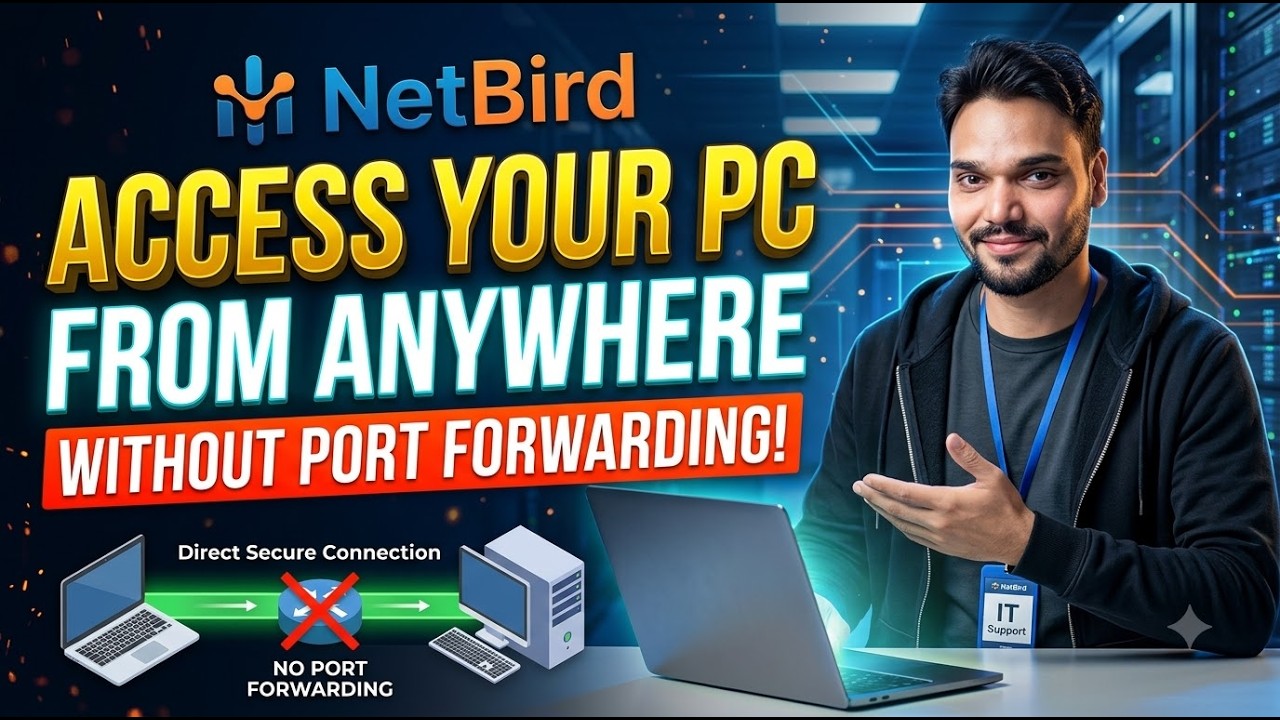
Gusto mo bang i-access ang iyong office computer mula sa bahay nang walang static public IP? Sa video na ito, ipapaliwanag ko kung paano gamitin ang NetBird para ligtas na kumonekta sa iyong mga device at i-access ang iyong PC nang malayuan.
🔥 Ano ang iyong matututunan:🎙️ Filipino Key Notes & Transcript
Minsan, may scenario tayo kung gumawa tayo ng isang makina. Nagpapatakbo ito sa network natin at kailangan natin itong ma-access mula sa bahay. So suppose you. Gumawa ka ng isang Tally server. Kailangan mo itong ma-access mula sa bahay. Pero wala kang static IP dito para magamit mo ang RDP. So where we. We use Tailscale or many alternatives. So I've already made videos on Tailscale. But today we. Tatalakayin natin ang alternatibo sa Tailscale na tinatawag na NetBird. Sa video na ito, tatalakayin natin nang buo kung paano gamitin ang NetBD, kung paano ito i-setup, at kung ano ang mga benepisyo nito. Handa ka na? Tara na at simulan natin. Let's see. You can use NetBird in two ways or you can build your own server, either locally or anywhere else, or you can use their. You can use their website here. Okay? For now, we're using their website because we need to understand how it works. At kung gusto mong gumawa ng server, maaari mong i-download ang kanilang aplikasyon. Sige? Una, isusulat natin ang NetBD sa Google. Pindutin ang Enter at i-click ang unang link. It will appear. Okay? We'll click on something like this, and this is the alternative to Tailscale. I've read some reports. Mas ...
📋 Overview & Step-by-Step Guide
NetBird Remote Access Tutorial para sa Windows
I-access ang Office PC mula sa Bahay nang Walang Port Forwarding
Remote Access Nang Walang Public IP | NetBird Setup
Gusto mo bang i-access ang iyong office computer mula sa bahay nang walang static public IP? Sa video na ito, ipapaliwanag ko kung paano gamitin ang NetBird para ligtas na kumonekta sa iyong mga device at i-access ang iyong PC nang malayuan.
🔥 Ano ang iyong matututunan:
✅ Ano ang NetBird at paano ito gumagana
✅ Paano i-setup ang NetBird sa Windows
✅ Ikonekta ang iyong home PC at office PC
✅ Remote access nang walang static public IP
✅ I-access ang Windows Remote Desktop sa pamamagitan ng pribadong network
✅ Maunawaan ang ligtas na remote access nang walang manual port forwarding
🔗 Opisyal na Website ng NetBird:
https://netbird.io/
📘 NetBird Documentation:
https://docs.netbird.io/
💻 Makakatulong ang NetBird na ikonekta ang mga device sa iba't ibang network sa pamamagitan ng pribadong network. Kailangan mo pa ring maayos na i-configure ang remote access service at mga permiso ng target PC.
⚠️ Tip sa Seguridad: Gumamit ng malakas na authentication, panatilihing updated ang Windows, at payagan lamang ang remote access para sa mga awtorisadong user. Huwag ilantad ang RDP nang direkta sa publiko nang hindi kinakailangan.
Mag-subscribe sa Technical Anshu para sa higit pang tutorials sa Windows, networking, VPN, firewall, remote access, at IT troubleshooting.
#NetBird #RemoteDesktop #RemoteAccess #StaticIP #VPN #WindowsTutorial #TechnicalAnshu
Kung kailangan mo ng pag-setup ng Windows Server, Tally Server, ManageEngine Endpoint Central, Veeam Backup, Macrium Site Deployment, Nextcloud, o Antivirus Server, mag-send ng direct message 📩.
Ito ay isang bayad na professional service kung saan ibinibigay ang end-to-end complete setup. Magbigay ka lamang ng blank server, at ako ang bahala sa installation, configuration, at seguridad. Reliable, secure, at production-ready setup ang garantisado 💻✅
Maligayang pagdating sa Technical Anshu, isang propesyonal na channel kung saan ibinibigay ang mga practical na tutorial sa IT Support, Networking, Server Administration, at Cybersecurity sa Filipino. Sa video na ito, ipapakita ko sa iyo step-by-step kung paano i-configure, i-manage, at i-troubleshoot ang mga karaniwang IT tasks na may kinalaman sa Windows Server, Endpoint Management, Firewalls, DLP, at MDM. Ang tutorial na ito ay kapaki-pakinabang para sa mga IT Engineers, System Administrators, Desktop Support Engineers, at mga baguhan na nais mag-develop ng real-world practical IT skills.
Sa video na ito, matututunan mo ang Windows & Linux Server Setup, ManageEngine Endpoint Central Configuration, Firewall Setup & Troubleshooting, BitLocker, DLP & MDM concepts, Open-Source & Free IT tools, at real-world IT problem solving.
Sa channel ng Technical Anshu, makakakita ka ng mga tutorial sa IT Hardware & Networking, Windows & Linux Server guides, ManageEngine product tutorials, Endpoint Security & Device Management, VMware ESXi & Virtualization, at practical IT support tutorials.
❓ Frequently Asked Questions (Filipino)
Is this tutorial 100% free to follow?
Yes! All guides and methods demonstrated by Technical Anshu use free, legal, and educational resources.
Can beginners follow this guide?
Absolutely! Every step is demonstrated on-screen with detailed instructions so anyone can follow along easily.
Where can I ask questions if I get stuck?
Leave a comment directly on the YouTube video, and our community and Technical Anshu will help you out.