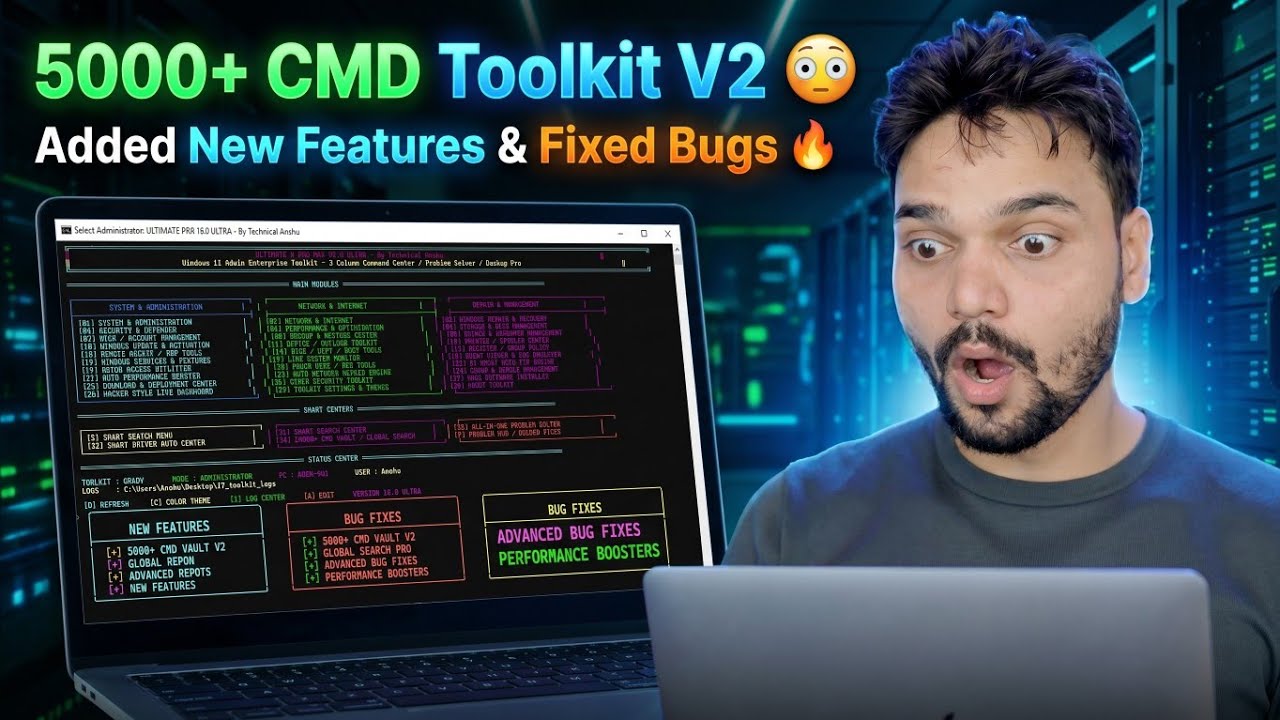
5000+ CMD Toolkit V2 😳 Added New Features & Fixed Bugs 🔥
The big update release: Technical Anshu's CMD Toolkit V2 packs 5000+ Windows commands into one menu-driven toolkit, adds the new features users asked for and fixes the bugs found in V1 — and V2 is completely free.
📑Chapters
- What V2 is — the 5000+ command toolkit, updated: new features added and bugs fixed over V1
- Downloading V2 free — V1, V2 and V3 together in one official link
- Running the toolkit — extract, run as administrator, pick the job from the menu
- Upgrading from V1 — keep both versions side by side, never overwrite
- The full version line — V4 never released, and where the paid V5 and V6 fit
📋 Overview & Step-by-Step Guide
Download V2 Free from the Official Link
CMD Toolkit V2 is Technical Anshu's own toolkit, and this version is completely free. V1, V2 and V3 are all distributed together through one official free-access link — the same link shared with the video. Download the V2 package from that page only.
The version story, so nobody can fool you: V4 was never released — the sequence goes V1, V2, V3, V5, V6. V5 and V6 cost ₹239 — you pay by Paytm on Anshu's WhatsApp number shown on his channel and videos, and he sends the download link after payment. Anyone selling you V2, or a "cracked" V5, is selling you a risk, not a toolkit.
Extract It and Run as Administrator
The toolkit is portable — there is nothing to install. Extract the downloaded package into its own folder, on the PC or on a USB stick you carry with you, then right-click the toolkit and choose Run as administrator. Most repairs inside it touch protected system areas, so an option that answers "Access is denied" almost always just means the toolkit was opened without elevation — close it and reopen it as administrator.
Pick the Job from the Menu — 5000+ Commands
Inside, the toolkit organises 5000+ commands and repair tools into one menu. Instead of memorising long commands, you open the toolkit, pick the job — a system check, a network fix, a repair — and the toolkit runs the right Windows command or tool for you. Under the hood these are Windows' own commands and utilities, gathered in one place and spelled correctly every time. The video demonstrates the toolkit running live on a real PC.
What V2 Added — and the Bugs It Fixed
V2 exists because V1 users reported problems and asked for more. As this release video's title states, V2 added new features and fixed bugs found in the first release — and the video walks through the changes one by one, live on screen. That walkthrough is the reliable list of what changed; if a random download site shows you a detailed "V2 changelog", treat it with suspicion and trust the video instead.
Know the Version Line and the Honest Limits
The full sequence is V1, V2, V3, then straight to V5 and V6 — V3 is the newest free release today, and V2 remains completely usable, especially if you are following this video step by step and want your screen to match what is shown. And a toolkit makes repairs faster; it does not change how Windows works. Admin rights still apply — system repairs need an administrator account. Dead hardware stays dead — no menu option repairs a failed hard disk; the toolkit helps you confirm the fault, not hide it. Tools that touch system settings can also draw a heuristic warning from some antivirus programs — one more reason to use only the official download from Step 1, never a repacked copy.
🏷️Topic Search Variables & Keywords
🎙️ Full Transcript — tap to expand
Step-by-Step Troubleshooting Guide & Solutions — 5000+ CMD Toolkit V2 😳 Added New Features & Fixed Bugs 🔥. On-screen demonstration by Technical Anshu.
(transcript ends here on the source page)
❓ Frequently Asked Questions
Is this tutorial 100% free to follow?
Yes! All guides and methods demonstrated by Technical Anshu use free, legal, and educational resources.
Can beginners follow this guide?
Absolutely! Every step is demonstrated on-screen with detailed instructions so anyone can follow along easily.
Where can I ask questions if I get stuck?
Leave a comment directly on the YouTube video, and our community and Technical Anshu will help you out.
🚀 Watch the Full Tutorial on YouTube
🚀 Watch the full step-by-step video tutorial on YouTube: https://www.youtube.com/watch?v=Q_XAASUaz0s
Subscribe to Technical Anshu for IT support, Windows troubleshooting, and server management.
▶️ Watch Full Video