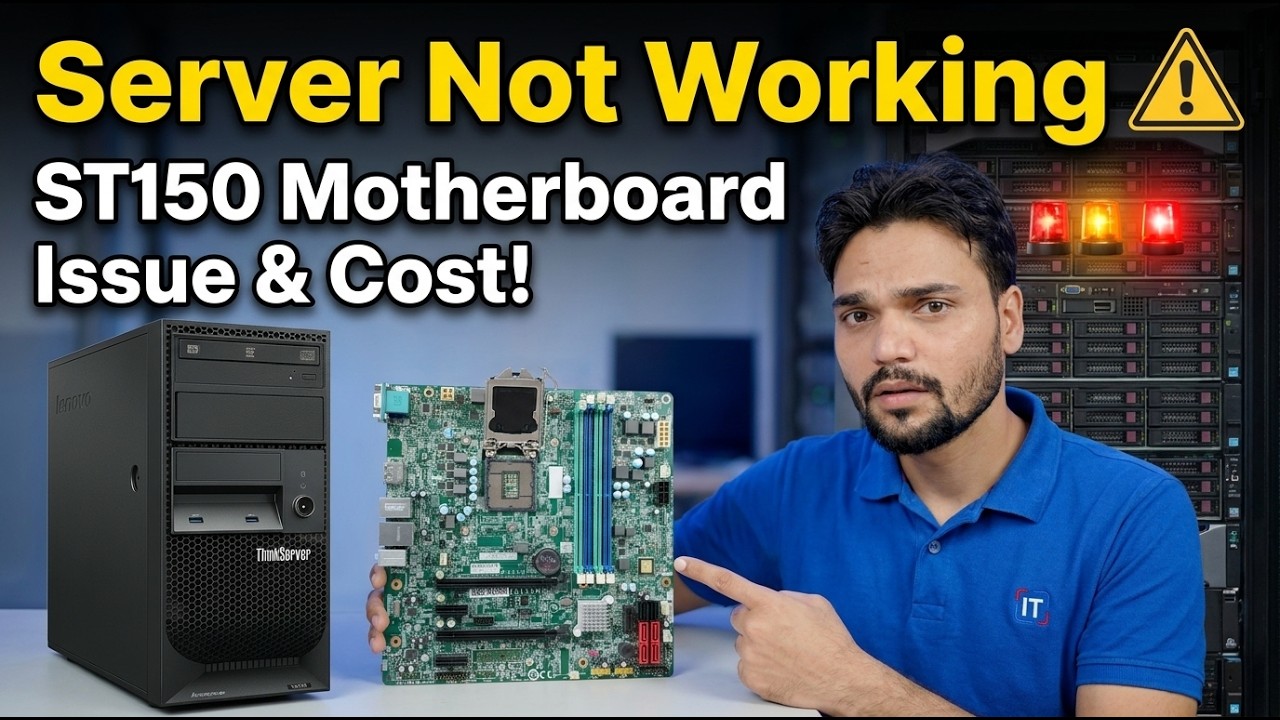
Lenovo ST150 Motherboard Dead? 😳 Price & Fix Guide!
Your Lenovo ST150 server will not start and someone has already told you "the motherboard is gone". Maybe it is — but the board is the most expensive part in this machine and the one most often blamed by mistake. This guide proves the fault first, in the right order, and only then weighs chip-level repair against a replacement board against a newer server.
📑Chapters
- What "dead" looks like on an ST150 — the three symptom pictures
- Rule out the power supply before blaming the board
- The minimal boot test — board, CPU and one ECC stick only
- Read the verdict honestly — board alive, board guilty, or still ambiguous
- Chip-level repair — the cheapest route when the fault is simple
- A replacement board — the fastest route back to service
- Replace the server — when the repair maths stops adding up
- Protect the data before you protect the hardware
📋 Overview & Step-by-Step Guide
Recognise the Symptoms Before You Blame the Board
The Lenovo ThinkSystem ST150 is a single-socket tower server built around the Intel Xeon E3-1200 v5/v6 family (with Core i3, Pentium and Celeron variants), four DDR4 ECC UDIMM slots and onboard software RAID. When one "dies", owners usually report one of three pictures: completely dead — no fans, no lights, nothing; fans spin but no display and no beep; or it starts and dies within seconds.
All three pictures can be caused by the motherboard — and all three can also be caused by cheaper parts. A power supply, a memory stick, or a corrupted setting can imitate a dead board almost perfectly, and each of those costs a fraction of a board. So resist the instinct to buy a board immediately, and work the confirmation order in the next steps first.
Rule Out the Power Supply First
A server that receives bad power behaves exactly like a server with a dead board, so prove the power before anything else. On the ST150 the power supply is a fixed internal unit — check it like one:
Start with the wall socket and cable: try a known-good cable on a known-good socket. It sounds basic because it is, and it catches real cases. Then look and smell inside the server — a burnt smell, scorch marks near the power connector, or bulging capacitors anywhere on the board changes the whole diagnosis.
With a multimeter, confirm the standby and main rails are present; rail tolerance is roughly ±5%, so a 12 V rail sitting near 11 V under load is a guilty power supply, not a sick board. Without a meter, swapping in a known-good power supply is the practical test.
Strip It Down — The Minimal Boot Test
Now reduce the server to the smallest system that can possibly start, and listen to what it tells you. Disconnect every drive, remove every PCIe card and unplug USB devices. Leave only the board, the CPU with its heatsink, and one ECC memory stick in the slot Lenovo specifies for single-stick use.
Clear CMOS using the board jumper as shown in the ST150 maintenance manual, and replace the coin battery if it is old — a dead battery can corrupt settings and imitate serious faults.
Power on and observe. Fans plus beeps or front-panel error indications with no RAM fitted, changing when the stick is added, means the board is alive and talking. Total silence through every variation means the board (or CPU) is failing to start at all. Swap the one RAM stick for a known-good ECC UDIMM, and if you can, test with a known-good E3-class CPU — the CPU is the last suspect, not the first, because processors die far less often than boards and power supplies.
Read the Verdict Honestly
After power is proven and the minimal boot has been tried with known-good memory, the picture resolves into one of three honest verdicts:
Board alive, impostor guilty — the machine starts in some stripped-down form. Rebuild it one part at a time until the fault returns; the last part added is your culprit.
Board guilty — proven power, proven RAM, and still no sign of POST activity at all: no beeps, no error indications, no display. Only now is the repair-or-replace decision worth your money.
Still ambiguous — no spare parts were available for the decisive tests. Say so honestly. A chip-level repair shop with a bench supply and spare CPUs can finish the diagnosis, and guessing wrong costs more than their test fee.
Option One — Chip-Level Repair
If the board is confirmed guilty, the first route to price is component-level repair. When the failure is a shorted MOSFET, a dead VRM phase, or damaged power circuitry, a competent board-level technician can often fix it for a fraction of what a replacement board costs.
This route suits a server that ran well before it died, where the fault looks electrical and local rather than widespread damage. Get the repair quote first — it becomes one of the two anchors you compare every other option against.
Option Two — A Replacement Board
A used, tested ST150 board is usually the fastest route back to service, because almost everything else carries over: your CPU, your ECC RAM, your drives and your RAID configuration all move to the replacement board unchanged, and the installed operating system normally boots as before.
The ST150 uses a proprietary server board, so the replacement must be a genuine ST150 system board that matches your machine — a generic desktop board is not an option. New old-stock boards exist, but they are priced for the desperate; a tested used board is normally the sensible buy.
Option Three — Replace the Server
Sometimes the honest answer is to stop repairing the past. If the repair quote and the used-board prices together approach what a complete used ST150 — or a newer tower server — sells for, the whole machine is the better buy: you get a tested, working system instead of one repaired board inside an ageing box.
Replacing the server does not mean losing what was on it. Your disks and data can move to the new machine — and if the data matters, move it before you spend on hardware experiments, as the next step explains.
Protect the Data Before You Protect the Hardware
Whatever route you choose, one rule stands above the repair decision: the data comes first. The ST150's onboard software RAID keeps its array configuration on the disks themselves, so an identical replacement board normally recognises the array on first boot, and your data usually survives a board change.
But "usually" is not a backup. Before any board swap or repair experiment, photograph every cable and drive position, label the disks in order, and if the data is business-critical, image the drives first.
🏷️Topic Search Variables & Keywords
🎙️ Full Transcript — tap to expand
Step-by-Step Troubleshooting Guide & Solutions — Server Not Working ST150 Motherboard Issue & Cost! On-screen demonstration by Technical Anshu.
Lenovo ST150 server dead — no power, fans spinning, or no display? Confirm the motherboard is really guilty before spending, then choose honestly between chip-level repair, a replacement board, or a newer server.
(transcript ends here on the source page)
❓ Frequently Asked Questions
Is this tutorial 100% free to follow?
Yes! All guides and methods demonstrated by Technical Anshu use free, legal, and educational resources.
Can beginners follow this guide?
Absolutely! Every step is demonstrated on-screen with detailed instructions so anyone can follow along easily.
Where can I ask questions if I get stuck?
Leave a comment directly on the YouTube video, and our community and Technical Anshu will help you out.
🚀 Watch the Full Tutorial on YouTube
🚀 Watch the full step-by-step video tutorial on YouTube: https://www.youtube.com/watch?v=T5lijUPwplg
Subscribe to Technical Anshu for IT support, Windows troubleshooting, and server management.
▶️ Watch Full Video