Which Thin Client to Buy? 😳 4 Models Compared (Best vs Worst)
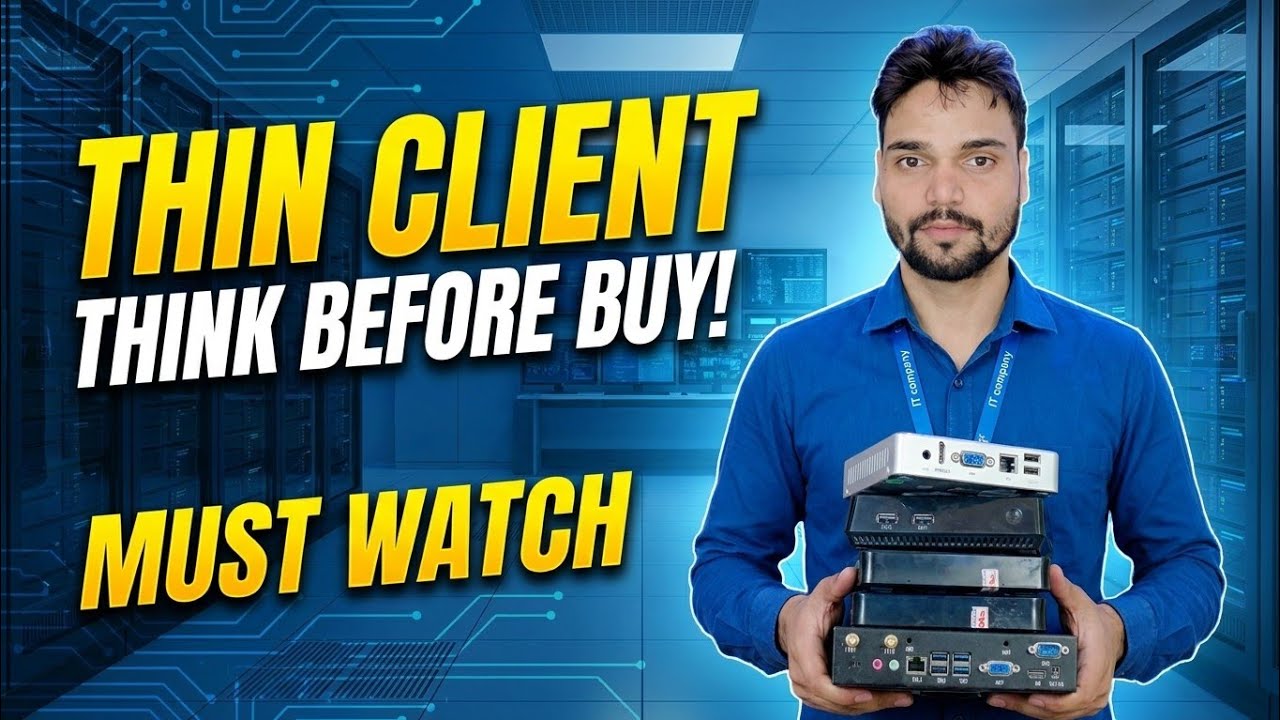
In the video, Technical Anshu puts four thin client models side by side and shows which one is best and which one is worst. This page gives you the buying framework behind that comparison — the four spec lines that actually decide your purchase — so you can judge any model, including the four in the video, before you spend.
📑Chapters
- Four thin client models compared side by side — best vs worst
- The four spec lines that decide everything
- The entry class — fine for one simple job
- The standard class — the sweet spot for office RDP
- The premium class — only when the desk demands it
- Red flags — the models and deals to avoid
- Match the class to the job, not the budget alone
📋 Overview & Step-by-Step Guide
Start With the 4-Model Comparison
The video is the product test: four specific thin client models, opened, specced and pushed through real RDP office work, with a clear best and a clear worst named at the end. A thin client is the cheapest desk in the office — but only if you buy the right class. Buy too weak and the screen lags on every scroll; buy blind and you may get a locked box with no adapter.
Spec Line 1 — RAM: 2 GB Floor, 4 GB Comfortable
The thin client runs its own small OS, the remote desktop client, and sometimes a local browser alongside. 2 GB is the working floor for a single RDP session doing entry work like billing or data entry. 4 GB is the comfortable class — smoother when the local OS does more, better with dual monitors, and the class with a longer useful life. Below 2 GB, do not buy for office use, whatever the discount.
Spec Line 2 — Display Outputs: One Desk or Two Screens
Count the sockets on the back panel, not the brochure. One display output means a single-monitor desk. Two outputs (any mix of HDMI, DisplayPort or VGA class ports) means the desk can run dual monitors — Tally on one screen, the bank statement or Excel on the other, which is how accounts desks increasingly work. A USB display adapter added later costs money, adds a driver problem, and never feels as clean as a native second output.
Spec Line 3 — LAN Port: Gigabit, Printed on the Box
Prefer a gigabit LAN port — busy offices push enough screen data to feel a 100 Mbps cap when many desks share it. But be honest about the whole chain: the box, the cable, the switch port and the server NIC all have to be gigabit for the session to get gigabit. A gigabit thin client plugged into a 100 Mbps switch still runs at 100. When a session lags, test the box on a known gigabit port near the server before blaming the box.
Spec Line 4 — Storage and OS: Known, Updatable, Not Locked
The fourth line is the one that quietly decides whether the box stays usable. The OS should be a known thin-client OS that still receives updates and can be replaced if needed — not a system locked to a stranger's server or account. Storage must be large enough that the next OS update itself still fits. A model that passes all four spec lines is a safe office buy; a model that fails one line belongs to a smaller job — or to the avoid list.
Pick the Class — Entry, Standard or Premium
Entry class: the lowest-price class — modest RAM, a single display output, a basic processor and a simple thin OS. It exists for one RDP session open all day: a billing counter, a data-entry desk, a gate terminal. Judged on its own job, it is the best value in the whole comparison — just never ask it to do more.
Standard class: the sweet spot for office RDP. 4 GB class memory, two display outputs, a gigabit LAN port and a maintained thin OS with proper RDP features. The price jump over entry is small; the drop in daily complaints is large. For most desks — accounts, office work, Tally and Excel through the server — buy this class unless a desk has a proven reason to be entry or premium.
Premium class: more memory, stronger graphics decode and three or more display possibilities. It earns its price on multi-monitor desks, design viewing, and seats that also join video calls through the session. Most office desks never touch this power — premium is a scalpel, not a default.
Red Flags — Walk Away From These
Whatever the class, walk away — or demand a scrap price — when you see any of these:
• No power adapter, or a loose substitute of the wrong rating
• Admin or BIOS password unknown — you cannot even change the server address
• An OS that no longer receives updates and cannot be replaced
• Wi-Fi only, no LAN port — a fixed office desk deserves a cable
• A storage size so small the next OS update itself will not fit
Final Verdict — Match the Class to the Job
List every desk and its one main job, assign the lowest class that does that job comfortably, and put the saved money into the server, its backup and the network — then test one desk from each class before the bulk order. A small price difference per desk becomes a large one across ten or twenty seats, in both directions: too cheap creates support calls every week; too premium starves the server budget all desks share.
And the honest line the whole comparison stands on: a thin client is not a small PC. It does not run your office software — your server does. If there is no proper server or host PC behind it, no model in any comparison will save the setup. Plan the host first, then buy the boxes — and watch the video for which of the four models came out best and which came out worst.
🏷️Topic Search Variables & Keywords
🎙️ Full Transcript — tap to expand
Step-by-Step Troubleshooting Guide & Solutions - THIN CLIENT THINK BEFORE BUY! MUST WATCH. On-screen demonstration by Technical Anshu.
(transcript ends here on the source page)
❓ Frequently Asked Questions
Is this tutorial 100% free to follow?
Yes! All guides and methods demonstrated by Technical Anshu use free, legal, and educational resources.
Can beginners follow this guide?
Absolutely! Every step is demonstrated on-screen with detailed instructions so anyone can follow along easily.
Where can I ask questions if I get stuck?
Leave a comment directly on the YouTube video, and our community and Technical Anshu will help you out.
🚀 Watch the Full Tutorial on YouTube
🚀 Watch the full step-by-step video tutorial on YouTube: https://www.youtube.com/watch?v=ce8Q3bNMOmI
Subscribe to Technical Anshu for IT support, Windows troubleshooting, and server management.
▶️ Watch Full Video