CMD Toolkit V3 😳 GUI Interface + Portable Software + 5000+ Commands
No more memorising commands: Technical Anshu's CMD Toolkit V3 puts 5000+ Windows commands behind a point-and-click GUI, adds portable software that runs straight from a pen drive — and V3 is completely free.
📑Chapters
- Downloading V3 free — V1, V2 and V3 in one official link, and the full version story
- Running the toolkit portably — extract it on a pen drive, nothing to install
- The GUI tour — clickable repair sections instead of typed commands
- Portable software and the 5000+ command library inside
- The honest limits — admin rights, dead hardware and antivirus warnings
📋 Overview & Step-by-Step Guide
Download V3 Free from the Official Link
CMD Toolkit V3 is Technical Anshu's own toolkit, and this version is completely free. V1, V2 and V3 are all distributed together through one official free-access link — the same link shared with the video. Download the V3 package to your PC or straight onto a pen drive.
The version story, so nobody can fool you: V4 was never released — the sequence goes V1, V2, V3, V5, V6. V5 and V6 cost ₹239 — you pay by Paytm on Anshu's WhatsApp number shown on his channel and videos, and he sends the download link after payment. Anyone selling you V3, or a "cracked" V5, is selling you a risk, not a toolkit.
Run It Portably — No Installation
Portable is the feature technicians use the most. Extract the downloaded package into a folder — on the PC, or on a pen drive you carry with you — then open the folder and start the toolkit. It runs without installing anything, and it leaves no program behind on the machine you repaired, which matters on office PCs where installing software is not allowed. Copy the folder to a pen drive once and it becomes your repair kit for every PC you touch.
Take the GUI Tour — Click Instead of Typing
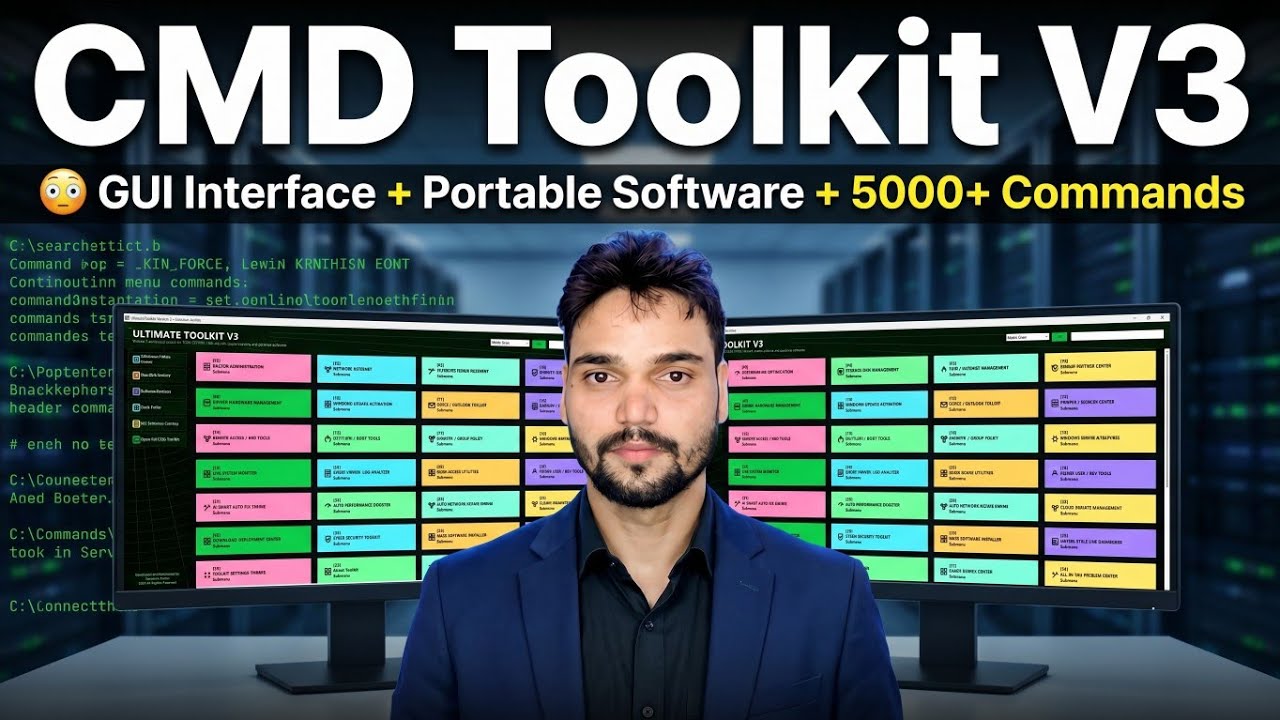
The big change in V3 is the GUI interface. In the older versions you worked inside a black command window; in V3 the repairs are organised into labelled, clickable sections — system repair, network fixes, cleanup tools, drivers, user accounts and more. Open the section that matches the problem, read what an option does before you click it, and let the toolkit run the right command for you. The video walks through the main sections one by one.
Portable Software and the 5000+ Commands
Alongside the repair sections, V3 carries portable software that runs straight from the toolkit folder — no setup, no installation — and a library of 5000+ commands underneath the GUI. The commands themselves have not gone anywhere: system-file repairs, network resets, disk checks and cleanups are the same jobs the toolkit has always done. V3's point is simply that you no longer have to remember, spell and type them — the button does it. If you ever want to see or run a command directly, the command sections are still there for that.
Know the Honest Limits
A toolkit makes repairs faster; it does not change how Windows works. Admin rights still apply — system repairs need an administrator account, and on a PC where you have none, only the lighter checks and the portable apps will work. Dead hardware stays dead — no button repairs a failed hard disk; the toolkit helps you confirm the fault, not hide it. And tools that touch system settings can draw a heuristic warning from some antivirus programs — one more reason to use only the official download from Step 1, never a repacked copy.
🏷️Topic Search Variables & Keywords
🎙️ Full Transcript — tap to expand
Step-by-Step Troubleshooting Guide & Solutions — CMD Toolkit V3 😳 GUI Interface + Portable Software + 5000+ Commands. On-screen demonstration by Technical Anshu.
(transcript ends here on the source page)
❓ Frequently Asked Questions
Is this tutorial 100% free to follow?
Yes! All guides and methods demonstrated by Technical Anshu use free, legal, and educational resources.
Can beginners follow this guide?
Absolutely! Every step is demonstrated on-screen with detailed instructions so anyone can follow along easily.
Where can I ask questions if I get stuck?
Leave a comment directly on the YouTube video, and our community and Technical Anshu will help you out.
🚀 Watch the Full Tutorial on YouTube
🚀 Watch the full step-by-step video tutorial on YouTube: https://www.youtube.com/watch?v=OnDAIhnzm-0
Subscribe to Technical Anshu for IT support, Windows troubleshooting, and server management.
▶️ Watch Full Video